
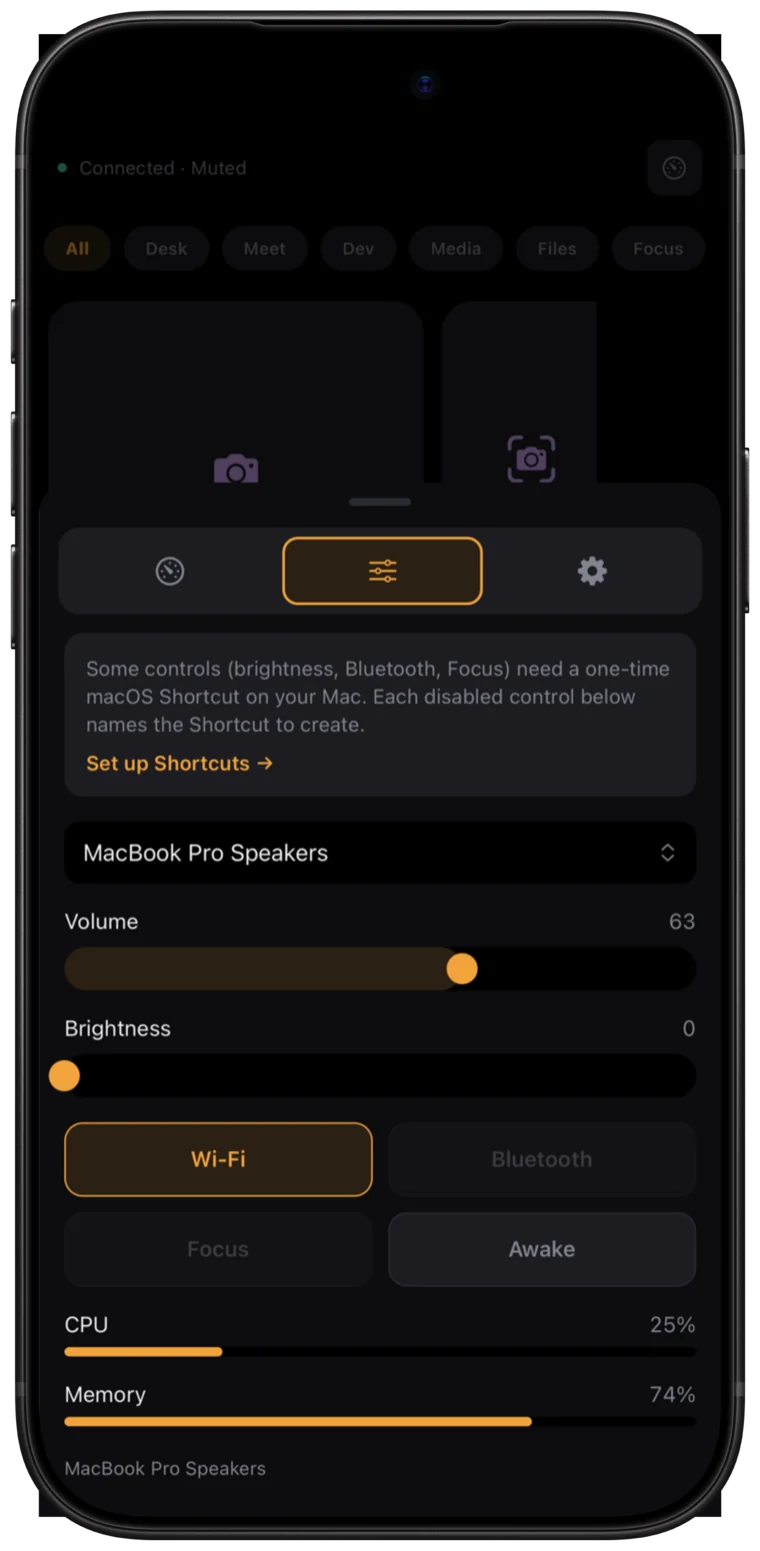
The three Shortcuts
| Control | Shortcut name (exact) | What the Shortcut does |
|---|---|---|
| Brightness | Treadle Brightness |
Sets the display brightness to a number Treadle passes in |
| Bluetooth | Treadle Bluetooth |
Turns Bluetooth on or off |
| Focus | Treadle Focus |
Turns a Focus (e.g. Do Not Disturb) on or off |
The names must match exactly, including the word Treadle.
Create "Treadle Brightness"
- Open the Shortcuts app on your Mac.
- Click + to make a new Shortcut, and name it
Treadle Brightness. - Add the action Set Brightness.
- Make it use the Shortcut's input: set the brightness to Shortcut Input (Treadle sends the level as the input).
- Close the editor. Treadle will find it by name.
Create "Treadle Bluetooth"
- New Shortcut, named
Treadle Bluetooth. - Add Set Bluetooth and leave it on Toggle (or wire it to the Shortcut Input if you prefer explicit on/off).
- Close the editor.
Create "Treadle Focus"
- New Shortcut, named
Treadle Focus. - Add Set Focus (choose the Focus you want, e.g. Do Not Disturb) and set it to Toggle.
- Close the editor.
Brightness: showing the current level is optional
The Treadle Brightness Shortcut lets Treadle set brightness. macOS has no public way to read it back, so the brightness slider can only mirror the Mac's actual level (including changes you make with the keyboard's brightness keys) if the small open-source brightness command-line tool is installed:
brew install brightness
Without it, the slider still sets brightness. It won't move on its own when brightness changes elsewhere, and shows the last value it set instead. Volume and mic gain don't need this, because macOS lets Treadle read those directly.
If you'd rather not install a command-line tool, make a second Shortcut named exactly Treadle Get Brightness whose last action is Get Device Details → Brightness, so it returns the brightness. Treadle runs it to read the current level. Keep it separate from the Treadle Brightness Shortcut: if the read lived in the same Shortcut, reading would overwrite your brightness.
How Treadle finds them
Treadle asks the Shortcuts app for its list and looks for the three names above. You don't configure a path: if the name matches, the control lights up. Reopen the Controls tab after creating a Shortcut to re-check.
You only need the Shortcuts for the controls you'll use. Everything else in Treadle works without any of them.